Tag: design

  • Visualize the system to better manage it

    The phases of inventory and mapping are crucial to make a system visible. Any serious management and leadership effort as well as a design intervention should always rely on a careful and accurate system mapping.

    We can find the weak links and the strength points of a product, an organization, a service or a group only if we know how it is composed. We need to know not only all of its components but especially their relationships. What buttons shall we push and in which sequence to create the effects we desire? Make the system visible to redesign, develop and lead it.

  • The car remote’s button

    I discovered after one year that by long pressing the car locking button on the remote I can close the car windows as well.

    I had no idea about it and not being enough curious I didn’t find it out myself. It was only after a casual chat with a friend that it revealed.

    The affordance of this feature is poor. There was no translation of what I know about interacting with buttons on a digital product and that physical user interface.

    What can a designer do to make interfaces more discoverable? How can we make explicit the multiple functions a single button might have?

  • Go Slow To Go Fast

    When dealing with complex tasks the preparation of the key components and the creation of some essential configurations to have a set of building blocks can allow you to speed up the work at a later moment. Having some initial knots unfolded opens up to a higher level of complexity. You buld the final solution step by step, accumulating them in layers growing from sparse foundations up to a more refined artifact. This is the sense of dedicating an initial phase to research, inventory and testing, requiring time and resources, to be able to go faster and iterate quickly once the foundations are solid. There might be a problem in selling this approach when the complexity of the project is not transparent or not easily communicated. That’s another reason why all partially worked pieces and their in progress development should be shared among all collaborators to make them aware of the workflow. If you want to design and develop fast, prepare the components you need going through a careful and dedicated working session, do not rush or improvise, you could risk failing.

  • Not Comfortable But Not Quitting

    I don’t have my computer with me. Nor my favorite monitor. I don’t even have a connection, right now. I had to borrow it. Sometimes it works, if I move too far, it doesn’t. I don’t have all of my services logged-in, so I am writing directly in WordPress. No spelling checker, no AI assisting me with my grammar and my writing style. I am in a new and not ideal situation. But I am still here, writing.

    I want to keep memory of a particularly satisfying working session. When I work with bright minds, quick thinkers, organized brains, I feel good. In about one hour we danced intellectually by iterating a concept, first, by deciding the final goal, then by drafting the key steps and, finally, by refining the story and adding details. All of it by being in he flow, as a group, one adding on top of each other’s contribution.

    It all ended with the perceivable shared satisfaction of having done a good job, together. I wish I could have much more codesign and cocreation sessions like this, in the future.

  • Safety is Needed to Get Clarity

    Safety is Needed to Get Clarity

    It’s only when you trust your team members, and you are sharing a solid mission and, first of all, when you know you can expose your thoughts without feeling you’ll be judged for that, or worst, they will be used against you, that you can work to gain clarity.

    When you are working to solve complicated messes and wicked problems, it’s crucial to think quickly and deeply at the same time. You need to experiment and be prone to make mistakes. You need to put your self-worth on the line each time a decision needs to be made and you are an essential part of the decision-making process.

    It’s not an easy environment to create, either creative or professional. It requires a lot of time to work together, know each other, and have several experiences together: good and bad.

    That’s why you need to have the patience to stay with a group as long as possible if you want to reach alignment of purposes and harmony of skills and character. It’s one of the best work and create situations where you feel you are giving a substantial contribution to whatever you are making together.

    It’s a great way to grow as a professional and a working group.

  • When Presenting Designs, Don’t take anything for granted

    When Presenting Designs, Don’t take anything for granted

    I was assuming my design was clear and exhaustive when I presented it to other team members. When I saw how it was taken further, I realized that my intentions were not fully understood. I undervalued the detail and the effectiveness of my presentation. 

    I made a difference by explaining every step and detail, especially by making the system visible, creating an interactive model where every possible interaction was fully explained.

    When presenting designs, do not take things for granted and reserve the needed time to document all parts and interactions.

  • Compare Intention Against Execution

    Compare Intention Against Execution

    When you compare the outcome of a production process with the original designs, you have a great learning chance.

    You can learn how far you made it in realizing your initial intention. You can discover which area of improvement you could attack to improve the overall quality of the product. You recognize what is still missing to reach the intended objective.

    Use the difference between the before and after to learn. Discover discrepancies by comparing the planned idea and its actual execution.

    Did you do it on time? Is it respecting all the requirements and the constraints? Is it usable, accessible, effective, efficient?

    The comparison between the original intention (the designs) and the current execution (the outcome) is a powerful method to make the system visible—the system of design and development, who imagined it and who built it, who sells it, and who uses it.

    That delta generates the creative tension to fill the gaps, improve your building skills, refine the initial designs, test more and with a larger target audience, and stress the solution to make it more agile and robust.

    So the habit of constantly checking how we are going compared to where we want to go is a crucial measurement of our progress. And it’s essential to identify the areas where we can improve or the aspects that we can curate better.

    Learn how to improve in planning and building by comparing the intention against the execution. Compare the before and the after to see the difference. That discrepancy is your motivation to do better, and it gives you the direction to follow.


    This is my DAY 30 Article in the CREAZEE Daily Writing Challenge. Overall, my 167th daily article.

  • Learning Out Loud: What is a Customer Journey
    Learning Out Loud: What is a Customer Journey

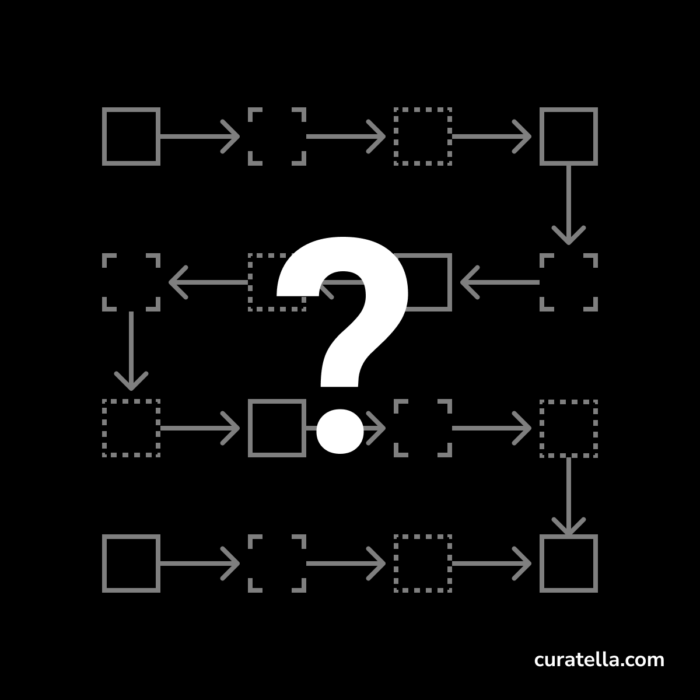
    This is another experiment in Learning Out Loud. I want to check my knowledge about the Customer Journey, a concept design tool to synthesize the path a person goes through to meet your brand, products, and services, buys them, use them, and ask for support.

    WARNING: This is a learning exercise coming out of my mind without any reference. Wait for my assessment to see how it went. I warned you, okay?

    Storytelling for design

    A Customer Journey is a way to narrate the story of people becoming your customers. Stories are useful to share and discuss. We can understand better how somebody behaves if we tell a story about something they’ve done. We can also tell stories to imagine how a product could be used or designed following needs, desires and constraints.

    Two moments in time: stories from the past and the future

    A customer journey is a design tool that can be used for at least two purposes:

    1. capturing the story of a symbolic person meeting our brand and buying our product
    2. Imagining an ideal story of a target individual experiencing our brand from the beginning to the end

    Our User Research activities determine the first. We have talked to potential and actual users, and we synthesize a model of the typical persona to whom we want to speak with our brand.

    The story we want to tell has a narrative arc covering the usual phases through which you go through when buying something:

    1. I have a problem or a need, and I start looking for information about possible solutions.
    2. I make a list of potential candidates. I research characteristics and prices. I start to make up my mind about buying a specific product.
    3. I look for comparisons, reviews, and possible samples or demos.
    4. I finally decide to buy the most suitable product by going online or in a physical shop.
    5. I have it! I use it! I experience everything related to the solution promised by the product I’ve purchased.
    6. I refer to the support for help or maintenance.
    7. I dismiss the product because exhausted or because I don’t need it anymore.

    For every ideal horizontal lane of this story representing the columns of a canvas, I can imagine rows covering different aspects:

    1. What I think
    2. What I feel
    3. Painful moments I might live, obstacles.
    4. Actions I take to pursue my goal for that phase.
    5. Opportunity to innovate the experience

    Don’t take it too personally.

    A persona is an ideal and symbolic person who could help the designers to refer to something tangible rather than too abstract. Sometimes we tend to give a physical aspect and credible characteristics like names, jobs, habits, but it could be excessively stretched and risky. A persona should be created by looking at the insights emerging by user interviews and other user research activities; otherwise, they are far-fetched, which could confuse our design direction.

    A Customer Journey as a plan

    The same matrix structure describing the story of an experience can express the intention we want to follow in our design. As a sort of blueprint, a model of what we want to build, a Customer Journey can represent the characteristics of the experience we are designing.

    A Customer Journey is a living document, as many other design documents are, and the design team should keep it constantly updated. The as-is version with new insights coming from new user interviews and the to-be version with the refined specifications.

    In a Human-Centred Design process, a Customer Journey is an essential tool to learn about potential users’ experience and communicate tangibly the experience we want them to have with our products and services.

    WARNING: This is a learning exercise coming out of my mind without any reference. Wait for my assessment to see how it went. I warned you, okay?

    Is this a Customer Journey?
  • Living in Information by Jorge Arango, book review
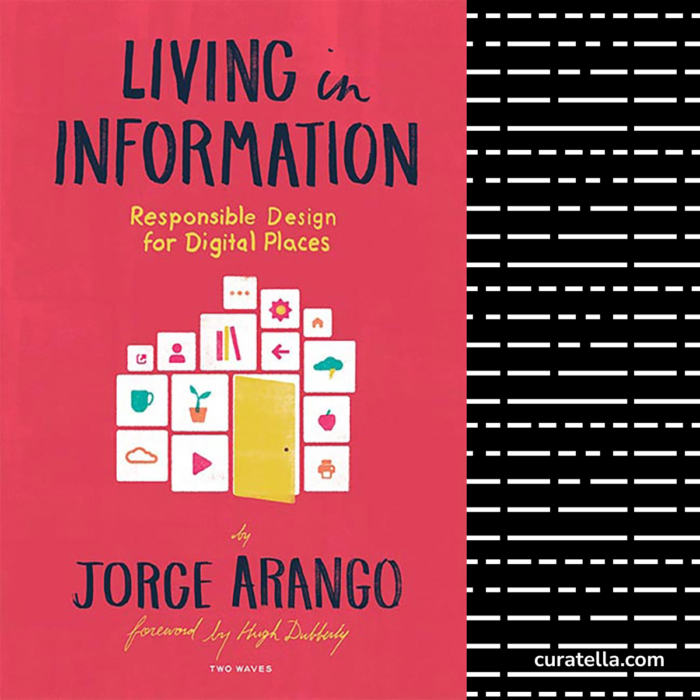
    Living in Information by Jorge Arango, book review

    There is a strong parallel between the characteristics and the influences of physical places on our lives and what worlds of information living in immaterial digital existences are having on them.

    Living in Information by Jorge Arango is about designing digital places: information spaces where we act, move, search and request to satisfy our needs in similar and sometimes more complex and powerful ways than the physical ones.

    As designers of interactions, learning, services, products, we need to be constantly aware of the importance of the architecture of a space and its characteristics to create meaningful experiences for the people living in it.

    Jorge Arango, Information Architect, Strategic Designer, writes about the factors involved in designing digital places in this well-structured and flowing text, which should be a reference point for any modern designer.

    The neat organization in chapters provides a systematic structure to sustain a holistic and multi-perspective view of information environments, their influence on humans, and the fundamental properties to consider when designing them.

    A logical sequence of concepts, treated in a fluid and convincing style, tells a story where the two distant actors converge into a unifying theory: the physical and the digital space. The concepts: Environments, Context, Incentives, Engagement, Technology, Architecture, Structure, Systems, Sustainability to conclude with Gardening.

    A systemic and systematic view of digital design empowers a multi-angle and structured vision of designing Information Environments.

    The narration unfolds to focus on the critical question of this book: “How can we design these information environments, so they serve our social needs in the long term?

    Each chapter contributes to stimulating an answer. Chapter 6, in particular, gives a strong point about it:” Architecture: We can intentionally design our environments to better serve our needs. Architecture is the design discipline that is focused on structuring our physical environments, and information architecture is the design discipline that does the same for information environments.”

    I particularly appreciate the expanded and expanding view of Arango when he extends the scope to systems, systems of systems, and ecosystems, increasing the conceptual power and the strength of the framework as he does in Chapter 8. Systems: “Environments are not just structural constructs; many other systems must work in concert to make it possible for them to serve our needs. Architects must consider how these systems work together.

    This takes the discussion beyond the border of the single, closed, independent scope of the artifact, the product, or the service, extending the consideration to a Systems View which entails a long sequence of dynamics and phenomena as well explained in the various Systems Thinking schools: systems change, often unpredictably, usually cannot be controlled and need ongoing stewardship as well described in Chapter 10, Gardening.

    I loved “Living In Information” because it helped me have a more comprehensive, broader, and more encompassing view on design, design thinking, information architecture, systems design, systems thinking, sustainability development, usability, human-centered design, strategic design.

    “Living in Information” is a precious book to be lovingly kept on any designer’s bookshelf.

  • Prototyping for maximum learning and minimum effort
    Prototyping for maximum learning and minimum effort

    When you are working at the solution of a problem, or you are designing a product or a service, prototyping is a crucial activity to learn If the solution that you have so far is good or not.

    How do you prototype an idea?

    You need to decide which specific function or feature you want to validate.

    You have to create a model, a mock-up, an example, a low fidelity implementation of your idea with any means possible.

    The important thing is that when you test this prototype with a sample of your target audience, They can test the feature as if it were the actual product without having that.

    That’s the purpose of the prototype. To test the product without building the product. Why would you do that? Because if we don’t verify how our idea or a specific part of our concept is performing in a real environment, we don’t know if we are spending our time in the best way possible.

    To avoid having a huge setback by an audience, not recognizing the value of your idea—Maybe because there are some flaws—it’s essential to test any evolution of the idea that you want to build using prototypes.

    Test your ideas with quick and cheap prototypes as early and as frequently as possible. You will get the maximum learning benefit out of the minimum effort.

    To build a house you need a flower.
    To build a house you need a flower.